How to Make a Car For Sale Flyer
What to put on a car for sale or rent flyer, how to lay it out so it reads on a phone, and how to make one in a few minutes by sending car photos on WhatsApp.
PixelRide · Nov 23, 2026 · 4 min read
A good car flyer does one job: it makes someone scrolling past stop, see the car and the price, and know how to contact you. Dealers share them on WhatsApp status and groups, Instagram and Facebook. Private sellers send them to friends and family. Rental businesses post one for every car on the fleet.
This guide covers what to put on a flyer, how to lay it out so it reads on a phone, and the quickest way to make one: sending your photos to the PixelRide bot on WhatsApp.
What every car flyer needs
Most car flyers that work have the same six parts. Leave one out and people have to message you to ask.
- A clear headline. "For Sale" or "For Rent", large enough to read in a thumbnail.
- One strong photo of the car. A front or rear three-quarter view shows the shape best. The whole car should be visible, with nothing cut off.
- Year and model. "2020 Jeep Grand Cherokee" tells a buyer more than "SUV for sale".
- The price. If you prefer to discuss it, say "Price on call" rather than leaving it out.
- Three or four key specs. Mileage, fuel type and transmission are the ones buyers check first.
- How to reach you. Phone number, business name, and your website or city.
Everything else, such as long feature lists or a paragraph of text, belongs in the listing, not on the flyer.
Layout tips that make a flyer readable
Design for a phone screen. Most people will see your flyer at the size of a thumb. Use big, bold type for the headline and price, and keep smaller details in a strip at the bottom.
Use portrait or square. A portrait 4:5 image (for example 1080 x 1350 pixels) takes up more of the screen in a feed than a landscape photo. Square also works. Avoid wide landscape images for flyers.
Let the car stand out. A busy car park behind the car competes with it. A clean background, such as a showroom, studio or simple scene, makes the car the first thing people see.
Make the price easy to find. Put it in its own badge or box near the model name, in a contrasting colour.
Keep the same style for every car. If you post several cars a week, using the same layout and colours makes your posts recognisable.
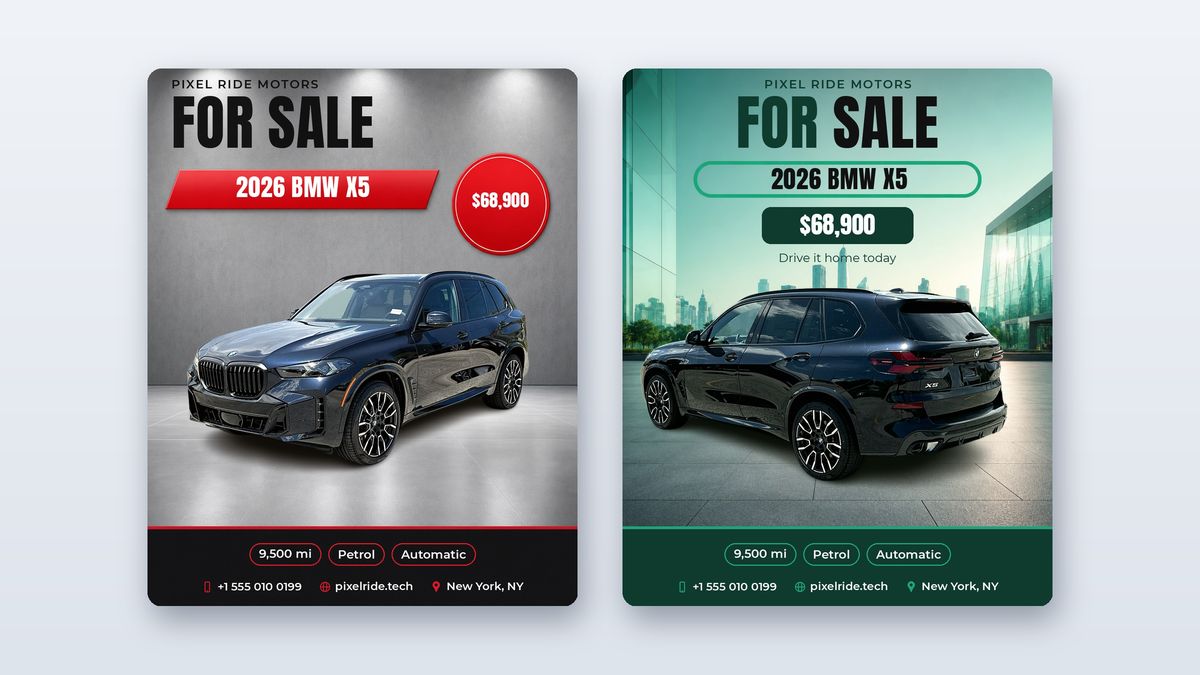
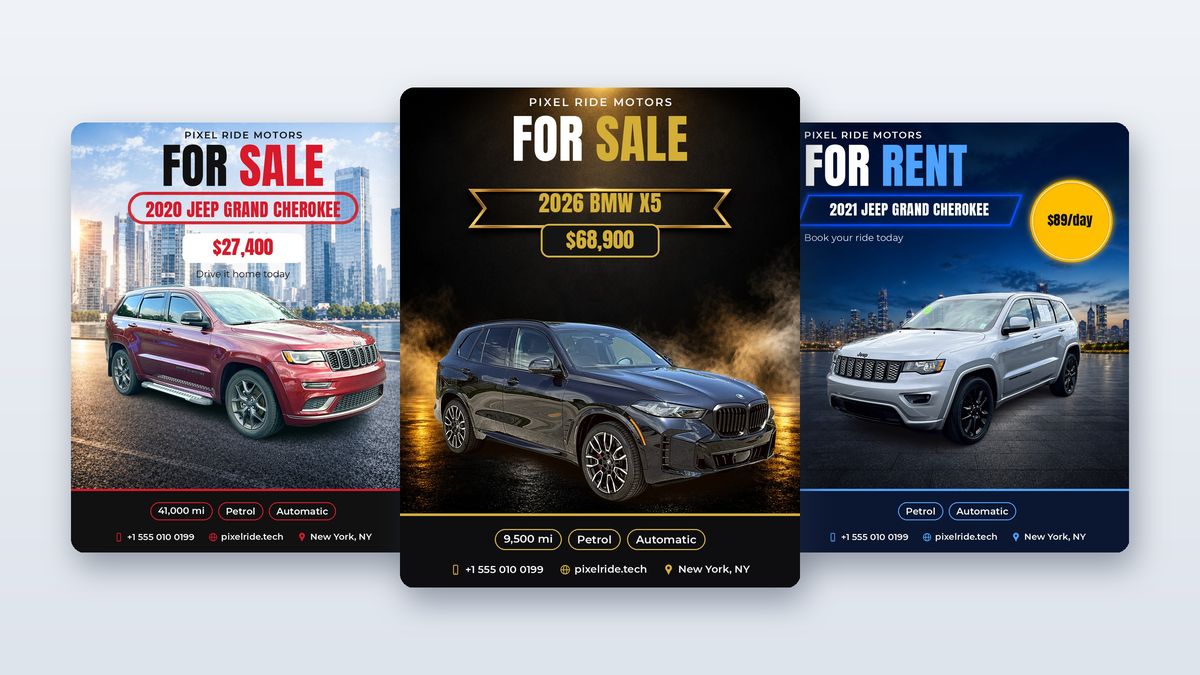
These two flyers use the same car, photo set and details in two different designs. Having a few designs to choose from means you can match the flyer to where you are posting it.
Common mistakes
- Cropping the car. A flyer with half a bumper missing looks careless. Start with a photo where the whole car is in the frame, with some space around it.
- Too much text. If the flyer needs a paragraph, it is a listing, not a flyer.
- Small or low-contrast text. White text on a light background disappears on a phone.
- No contact details. It sounds obvious, but flyers forwarded from group to group often lose the message they were sent with. Put the phone number on the image itself.
- Wrong price format. Write prices the way your buyers do, for example $27,400, ₹8.5 Lakh or AED 95,000.
The quick way: make it on WhatsApp
Designing flyers by hand takes time, especially when you have a new car every day. The PixelRide WhatsApp bot does the design for you, inside a normal WhatsApp chat.
- Message the bot. Open the chat and say hi.
- Send up to four photos of the same car from different angles. Clear photos with the whole car visible give the best results.
- Tap Pixel Ride to start, then answer a few short questions: selling or renting, make and model, year, price, mileage, fuel, transmission and your contact details. Most answers are a tap on a button or a list. Reply skip to anything you don't want on the flyer.
- Check the summary and tap Get started. If something is wrong, cancel and nothing is charged.
- Get your flyers back in the chat a few minutes later, ready to post or forward.
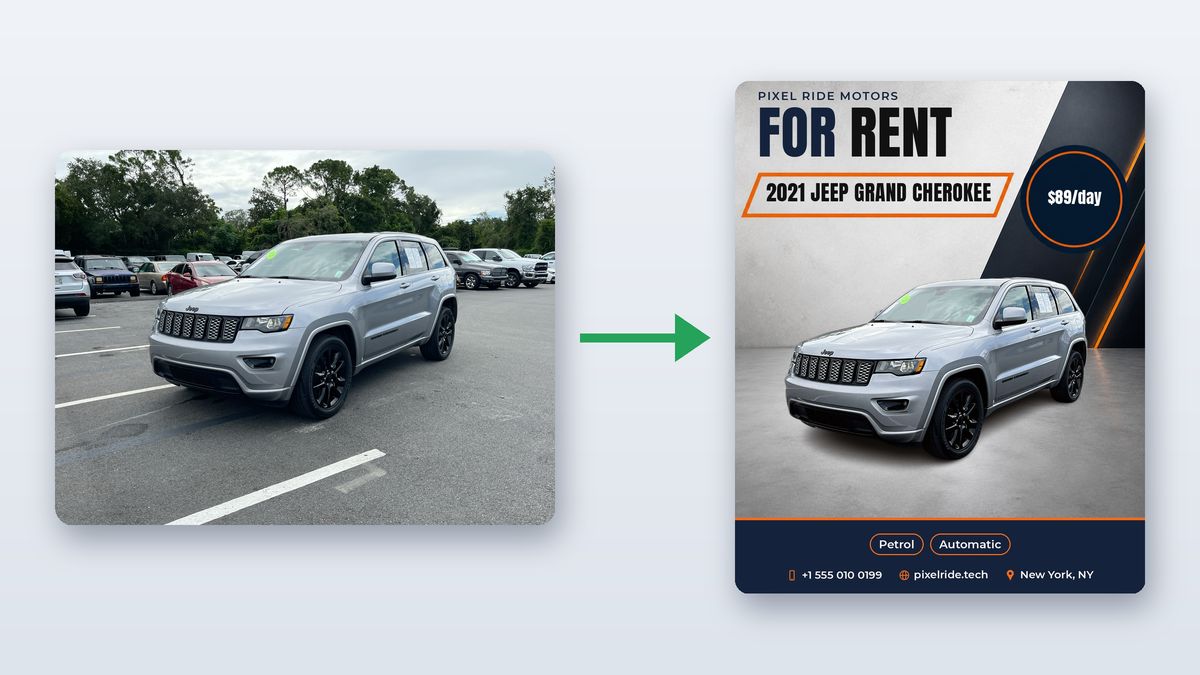
The bot removes the background from your photos, places the car in a designed scene and writes your details on the flyer for you. Your business name, phone number, website and city are saved, so next time you can tap Use saved instead of typing them again.
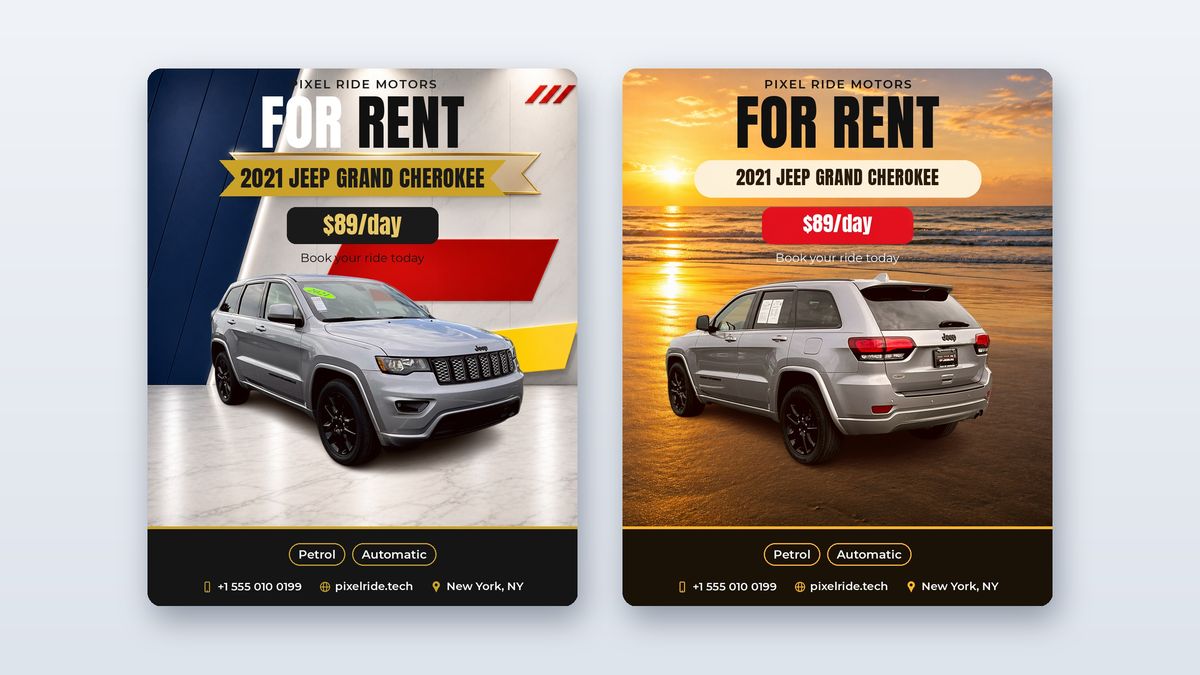
Rental businesses can choose renting instead of selling. The flyer then says For Rent, and the price can be typed the way you charge, such as $89/day.
Where to share your car flyers
- WhatsApp status and groups. The flyer arrives in the same chat, so you can forward it straight away.
- Instagram feed and stories. The portrait size fits the feed without cropping.
- Facebook posts and Marketplace. Use the flyer as an extra image alongside your normal listing photos.
- Your website. A flyer works well as a "featured car" image on a homepage or social banner.
For marketplace listings, keep using a full set of clean photos as well as the flyer. Our car dealership photo checklist covers which shots to take.
Try it on your next car
New WhatsApp accounts get free credits to start, so your first flyers cost nothing. After that each ad uses one credit, whether you ask for one design or four, and there is no subscription. Message the bot with photos of a car you are selling today.